
Choose the capability your task needs.
Start in the AI workspace, explore web information or use a developer tool directly. Each product has its own access conditions.
Pirehub AI
A workspace for conversation, web research, image creation and supported tool actions.
Sign-in, credits and tool availability apply.
Web Intelligence
Search and read websites with AI, or capture public webpages through the Screenshot API.
Search and crawling are AI tools; screenshots and social embeds have documented APIs.
Developer APIs & Tools
Domain and DNS lookups, screenshots, shortlinks, media tools and bank-transfer QR codes.
Use direct tools or the documented API and MCP capabilities. Access modes vary by tool.
Pirehub Cloud
Explore the existing cloud plans and discuss the resources your application needs.
Cloud purchases are separate from AI and API plans. Confirm availability and fulfillment with support.
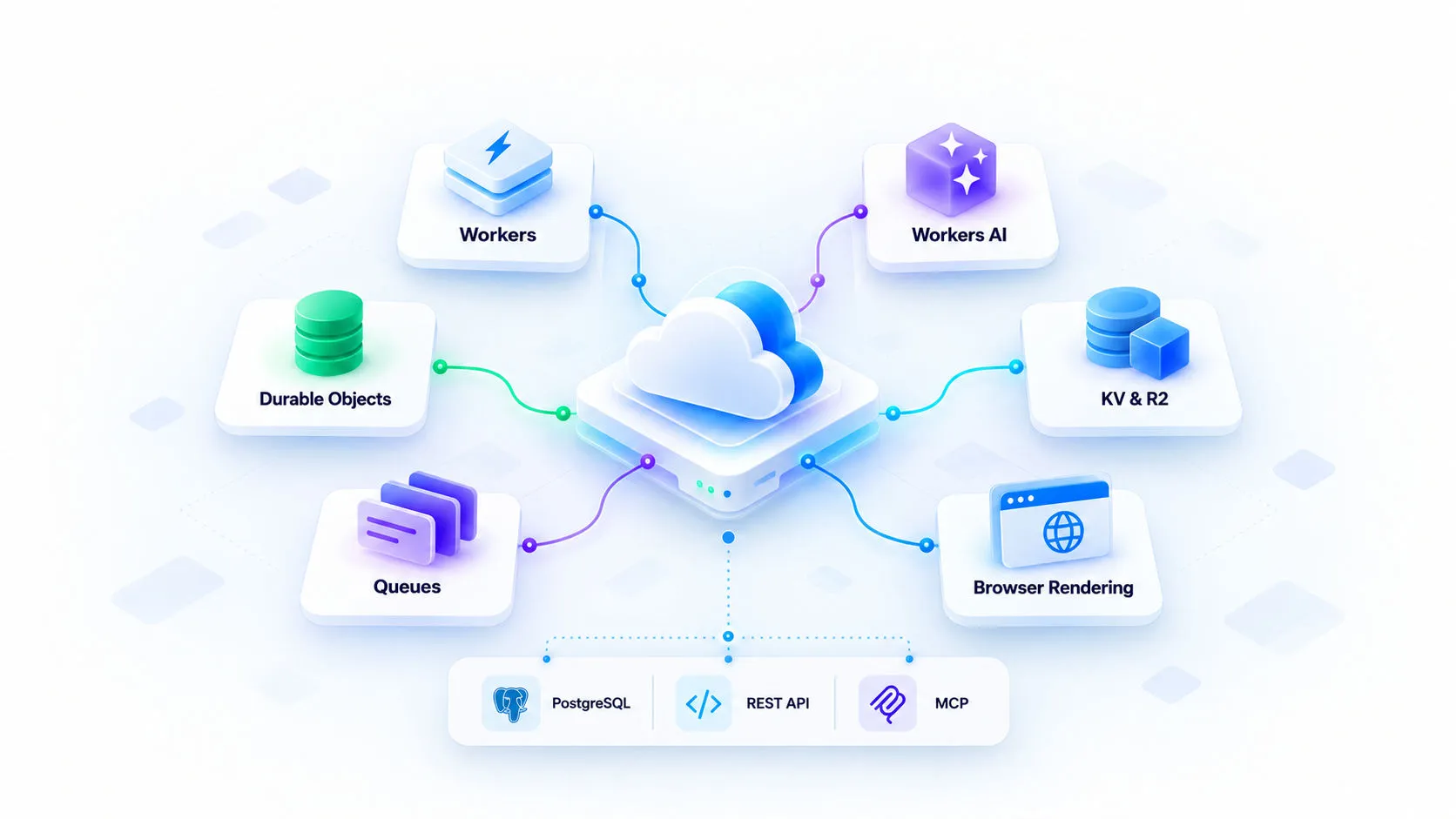
Infrastructure illustration. Figures shown in the artwork are examples, not measured Pirehub performance or service guarantees.
Cloud infrastructure for AI and web tools.
Pirehub combines Cloudflare serverless compute, AI inference, stateful services and storage to support its AI workspace, web tools and developer integrations.
Cloudflare serverless runtime
Data stores: PostgreSQL & Redis
Interfaces: REST & MCP
AI and API access depends on enabled tools, credentials and usage limits. Cloud resource plans are purchased separately.
Build with REST APIs and MCP
Protected API operations require an issued key or supported OAuth scopes. Plans, quotas and permissions apply. See the documentation or contact support for access.
Use documented domain, DNS, IP, screenshot, social-embed, video and bank QR capabilities in your application. MCP exposes the supported tools listed by the server.
Connect your application
RESTCall documented REST endpoints from your own application or workflow.
Use supported tools through MCP
MCPInitialize the MCP server and inspect its tool list before calling an operation.
Look up domain information
WHOIS / DNSUse WHOIS, DNS and IP endpoints with their documented inputs and limits.
Capture pages and resolve embeds
PNG / oEmbedUse the Screenshot API for PNG capture and oEmbed for supported social posts.
Build from the contract
OpenAPIRead OpenAPI, required scopes, quotas and error responses before integrating.
Use documented APIs in your own workflows. Pirehub does not currently offer a general-purpose workflow builder.
Illustrative request and response, not a live result. Replace the sample key with an issued key with the required scope.